a test blog.. to see me alive in myblog again after a year back.. as ajith says I am back

Saturday, May 30, 2015


Friday, January 24, 2014
Tuesday, August 23, 2011
How to find what operating system (64 or 32)
We found a lite wait utilityonline to finde the 64 or 32 bit operating system.
64bit Checker - http://download.igorware.com/64bit-checker.rar

Know ur board drivers
In case of os crashes, we need to reinstal freshly OS. On that cases we need all drivers (network,audio,vga,chipset). While we buy PC they provide driver cd. On worst case we missed the cd, Can we can download in internet?
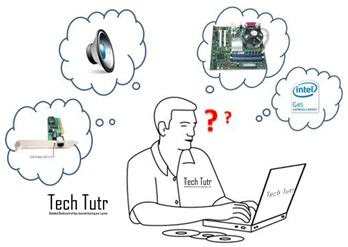 Is all driver support for all computer?
NO, each set of board series has unique driver. they classified based on board chipset.
Is board has chip set name ? if so how to find it?
yes! we each board has chip set name.
which can be obtain using many utilities on such is
HWiNFO -portable utility.
for 32 bit operating system - http://www.hwinfo.com/download32.html
for 64 bit - http://www.hwinfo.com/download64.html
To find 32 0r 64 bit - click here
Just download portable setup and click HWiNFO64.exe/32.exe and run. we get a full detail information about our system. which gives chipset name. By which we can search drivers.
 For example - my chipset is intel g43.
Just search intel g43 + video driver in google
sample result link: http://www.google.co.in/search?q=intel+g43+%2B+video+driver&ie=utf-8&oe=utf-8&aq=t&rls=org.mozilla:en-US:official&client=firefox-a
 Is all driver support for all computer?
NO, each set of board series has unique driver. they classified based on board chipset.
Is board has chip set name ? if so how to find it?
yes! we each board has chip set name.
which can be obtain using many utilities on such is
HWiNFO -portable utility.
for 32 bit operating system - http://www.hwinfo.com/download32.html
for 64 bit - http://www.hwinfo.com/download64.html
To find 32 0r 64 bit - click here
Just download portable setup and click HWiNFO64.exe/32.exe and run. we get a full detail information about our system. which gives chipset name. By which we can search drivers.
 For example - my chipset is intel g43.
Just search intel g43 + video driver in google
sample result link: http://www.google.co.in/search?q=intel+g43+%2B+video+driver&ie=utf-8&oe=utf-8&aq=t&rls=org.mozilla:en-US:official&client=firefox-a
Tuesday, August 16, 2011
Gmail preview Pane
Few years back getting a GMail id is a big news. It has many procedure, invitation and so on.. now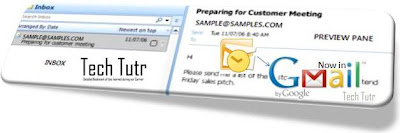 everyone has GMail id. Many of us like GMail because of speedy and simple interface. Most of us in office we use outlook/thunder bird/express with some inbuilt sophisticated features. After using these application while we check online mails like GMail, we expect some for features to save time. For example. when we click inbox in GMail, we get a list of unread message displaying subject of the mail. To have a quick look up we need to click the mail and wait for the mail to load. But in pop3 clients, we can have a quick look using quick view panel(preview pane).
Now google is in the face of one such feature in GMail via its lab. Below shows the steps to how to activate and use in your current GMail accounts
step 1 - go to mail settings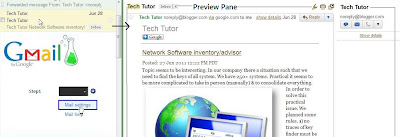
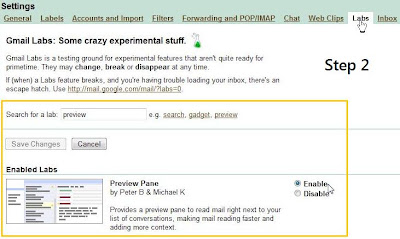
step2 - move to labs tab in mail setting
step3 - search for preview pane
step4 - enable the preview pane control
enjoy quick view message feature
 everyone has GMail id. Many of us like GMail because of speedy and simple interface. Most of us in office we use outlook/thunder bird/express with some inbuilt sophisticated features. After using these application while we check online mails like GMail, we expect some for features to save time. For example. when we click inbox in GMail, we get a list of unread message displaying subject of the mail. To have a quick look up we need to click the mail and wait for the mail to load. But in pop3 clients, we can have a quick look using quick view panel(preview pane).
Now google is in the face of one such feature in GMail via its lab. Below shows the steps to how to activate and use in your current GMail accounts
step 1 - go to mail settings

step2 - move to labs tab in mail setting
step3 - search for preview pane
step4 - enable the preview pane control
enjoy quick view message feature

Courtesy : Dinamalar computer malar
Subscribe to:
Comments (Atom)